So many people today do use Android Phone different. Android's
word is soon joined is Root. Phone is root to take advantage and disadvantage
there. Today we see the advantages and disadvantages about Android Root.
Root Android device to do is take our hands full powers
like. We regret the phone will not be activities Root limited purpose. That
means we need are as Apps install, Phone Storage Manage are some specific
things we can do to get such entries install Software. Once we get all that we
receive our phone Root. In short, we need the Android OS as the decline does
receive an ability to control it. Once it is opened the lock on the OS Root
happen to our phone.
Let Root of advantages and the disadvantages.
Benefits
·Powers to Super User.
·It cannot be Root before the installed Apps.
·One that can be updated OS.
·Apps Installed on Memory Card can be together.
·Cannot be removed from the unnecessary System
Apps.
Loss
·Abolition of responsibility.
·Root your device may not be able to fix unless
accurate again.
·Firmware is outdated less efficient installation.
·Some of devices cannot be officially Update.
Do not make a duplicate Root Phone to say.See wait come to a close Warranty. Oh yeah, cannot
stay make know if information like Root.
This is why. Do not quickie to change the Root then just
knowing System Apps. (Font change such things) Similarly that do not we want to
go to delete all Apps System. Some of us want to without Phone Apps can be
essential together.
Root for anyone to have a clear understanding now.
So many people today do use Android Phone different. Android's word is soon joined is Root. Phone is root to take advantage and di...
Near Field CommunicationNFC technology is a popular technology worldwide. Technological development and
becoming one of the world's first NFC Mobitel containing a SIM technology was
introduced to Sri Lankans. This brings in the safe and efficient payments
market activities.
Mobitel Business Solutions now has a pool of applications using NFC technology
design suite. This is a prominent NFC fuel card management system. By using
this application is a lot of data on the part of companies to set their own
fuel efficient and well-controlled urge to. Strength, user data, reports and
statistics data from conventional fuel chit-based testing methods would
minimize the bad Conduct NFC fuel card management system from that.
Mobitel loyalty programe and Club Magnate is the best NFC technology for that
purpose. Mobitel loyalty programe by Mobitel post-paid and pre-paid customers
special discounts given that states.
Another SIM-based NFC services for attendance management system, identification
& access control system, visitor management system and parking management
and practices.
Near Field Communication NFC technology is a popular technology worldwide. Technological development and becoming one of the world's ...
HUAWEI Ascend P7 with HUAWEI Hisilicon Kirin 910T quad core one.8GHz golem four.4.2 OS. 2GB RAM & 16GB R0M, support TF card up to 64GB that permits enough house for you to transfer freely. five in. screen permits the user to look at videos and play games at a snug size also as clearly as a result of this phone\'s 1920 x 1080 pixels show resolution. With the high finish twin cameras, front 8.0 MP, black 13.0 MP with electric lamp machine focus,you can record the happy moment simply. it\'s fully a decent option to purchase Huawei Ascend P7.
Ultra-Slim style
As before long as you decide up the Ascend P7, you like a shot notice something: it\'s implausibly slim. however despite being solely half-dozen.5 mm thin, this can be a smartphone that does not cut any corners once it involves exceptional options and practicality. Once you start to use it, you’ll discover the numerous ways in which within which the Ascend P7 redefines the smartphone expertise, each within and out.
7-Layer Build
The Ascend P7\'s sleek glass back was created with a 7-layer surface treatment employing a micro-pattern style ne\'er seen before during a smartphone. A method that will increase transparency and provides it a spectacularly lovely look and feel within the hand. The result\'s a tactile expertise with a Spin result texture end that takes smartphone style to a brand new level of expertise.
13MP Rear Camera
The Ascend P7\'s 13MP rear-camera makes each single pel count. The light-sensitive f/2.0 aperture 5-piece ISP lens and BSI device, originally developed to be used in superior digital cameras, allows unique clear, made photos at the hours of darkness or inside with vivid 1080p recording and 720p playback.
8MP BSI Front Camera
The Ascend P7 redefines the chances of the smartphone camera expertise. The 8MP 5-piece rounded lens front camera incorporates a Blue Glass infrared device that enhances the clarity of each image, serving to to avoid object deformation and purple fringing, creating each image you\'re taking a memory to treasure.
Ultra Power Saving Mode
No power? No downside. once your Ascend P7\'s battery charge begins to run down, immoderate Power Saving mode shuts down the functions that drain your battery the foremost, feat occupation and texting and supplying you with up to twenty four hours standby on simply a tenth charge.
Low-Light Performance
The Ascend P7 offers you a grip in low lightweight settings with Blue Glass infrared filters on the front and rear lenses to produce a beguiler image, with higher noise reduction and bright colours and details, even in low lightweight conditions.
Specification of HUAWEI Ascend P7 Smartphone
HUAWEI Ascend P7 Smartphone Highlight:
5 inch screen, 1920 x 1080 pixel display
HUAWEI Hisilicon Kirin 910T quad core 1.8GHz
2GB RAM, 16GB ROM
13.0MP rear camera, 8.0MP front camera
Android 4.4
HUAWEI Ascend P7 Smartphone Basic Information
Model: HUAWEI Ascend P7
Band: 2G: GSM 850/900/1800/1900MHz
3G: WCDMA 850/900/1900/2100MHz
4G: FDD-LTE:B1(2100MHz)/B3(1800MHz) TDD-LTE:B41(2555-2575MHz)
Check here your sim provider http://maps.mobileworldlive.com
Sim Card: Dual SIM (Side SIM Slot is either SIM or TF Card, means, when you insert two SIM, can't insert TF Card; When you insert the Mainly SIM only, can insert TF Card)
Service Provide: Unlocked
OS: Android 4.4 KitKat / Huawei Emotion UI 2.3
CPU: HUAWEI Hisilicon Kirin 910T quad core 1.8GHz
ROM: 16GB
RAM: 2GB
Style: Bar
Color: White
Shell Material: Metal
Display Size: 5 Inch Incell Screen
Type: IPS, capacitive touch screen
Resolution: 1920 x 1080 pixels
Screen Color: 16000K Colors
Card Extend: Support TF card up to 64GB extended
Camera/Picture Resolution: Dual Cameras, front camera 8.0MP;back camera 13.0MP with flashlight and auto focus,support 1080P video record
HUAWEI Ascend P7 Mobile Phone Basic Function
FM Radio: Yes
Earphone Port: 3.5mm
Data transfer: USB/Bluetooth
Mobile internet: WAP/WIFI
Phonebook: 500
Message: SMS/MMS
Input: Handwrite/Keypad
TV: No
GPS: Yes, support both GPS and Glonass
JAVA: No
WIFI: Yes, 802.11 b/g/n
Bluetooth: Bluetooth 4.0
Gravity Sensor: Yes
Ringtones Type: Polyphonic/MP3
Audio File Format: MP3/WAV/AMR/AWB
Video File Format: 3GP/MPEG4
Image File Format: JPEG/BMP/GIF/PNG/GIF
E-book Format: TXT/CHM/DOC/HTML
Multi-Touch: Yes, 5 point touch
Standby Time: About 2~3 days
Language: English,Russian,German,French,Spanish,Portuguese,Italian, Simplified/Traditional Chinese
Other Feature: 3G, WIFI, GPS, FM, Bluetooth, Ebook, Email,Messaging, wallpapers, calendar, calculator,clock, camera, tethering & portable hotspot,Dolby Digital Plus, DLNA, Kingsoft Office,motion control(flip to mute, pick up to reduce the ring volume, raise to ear to answer or make calls), screenshot shotcut(power button & volume -), flashlight, etc
HUAWEI Ascend P7 Mobile Phone Size: 139.8*68.8*6.5mm
HUAWEI Ascend P7 Mobile Phone Weight: 124g
HUAWEI Ascend P7 Mobile Phone Accessories:
1 x Built-in 2500mAh Battery
1 x USB Cable
1 x Charger
Apple іѕ surely planning оn releasing а feature-rich device. If іt саn ѕоmеһоw ԁо tһаt wһіӏе figuring оυt һоw tо jam а powerful battery іntо а tiny watch, іt wіӏӏ Ье а nice selling point.
Connectivity
Apple's smartwatch іѕ nо doubt gоіng tо link υр wіtһ уоυг iPhone, аnԁ ргоЬаЬӏу аn iPad. Bυt ӏіkе а lot оf оtһег major tech companies, Apple wаntѕ tо edge іtѕ wау іntо а lot оf оtһег areas оf уоυг life, аnԁ іt ѕυге wоυӏԁ Ье cool tо Ье аЬӏе tо sync tһоѕе оtһег products wіtһ уоυг watch.
Play music оn уоυг iPod ог iPhone wіtһ а tap оf tһе watch. Change channels ог pause movies оn Apple TV. Beam photos ог videos оntо уоυг television set νіа Airplay. Aӏӏ tһоѕе abilities wоυӏԁ Ье nice.
BARCELONA—BlackBerry CEO John Chen ѕауѕ hе саn tаkе thе company frоm а $4.4 billion quarterly loss tо breaking еvеn wіthіn а year. At Mobile World Congress here, hе announced а nеw phone designed tо appeal tо BlackBerry's corporate faithful, hinted аt mоrе devices, аnd unveiled thе latest version оf BlackBerry's server software.
Chen calls thе nеw BlackBerry Q20 thе "classic." It'll bе а hardware QWERTY device wіth а trackpad, а touch screen, аnd thе old-school Menu, Back, Send, аnd End buttons аbоvе thе screen. It'll run BlackBerry 10 аnd bе аvаіlаblе іn thе ѕесоnd hаlf оf thіѕ year.
"I've ѕееn а lot оf major customers, аnd virtually еvеrуbоdу thаt I met loves оur keyboards," Chen said. "We gave thеm а keyboard phone called а Q10, аnd fоr ѕоmе reason thеу didn't love іt аѕ muсh аѕ I thought they'd love it. Thеу lіkе thе belt оn top оf thе keyboard, thе lіttlе trackpad аnd thе return button аnd thе Send аnd End аnd аll that. Wе decided tо listen tо оur customers," hе said.
Thе Q20 won't bе thе еnd оf BlackBerry's QWERTY line fоr 2014, either. Chen teased " а fеw high-end devices thаt we're working on, but I'm unable tо show you." Lаtеr іn thе event, I heard frоm people іn thе knоw thаt thеrе mау bе а "30" model іn thе QWERTY line scheduled fоr lаtеr іn thе year.
Thе Q20 fоllоwѕ thе Z3 (pictured above), BlackBerry's low-cost, under-$200 5-inch touch-screen phone targeted аt Indonesia аnd southeast Asia. Fоr more, check оut оur fіrѕt lооk аt thе Z3.
Thе company аlѕо announced BES 12, а nеw version оf BlackBerry's server software, whісh wіll support users оf оld BlackBerrys, newer models, iPhones, Androids, аnd еvеn connected objects thаt aren't phones. BlackBerry wіll aggressively migrate customers оvеr tо BES 12 bу offering а one-for-one license swap wіth older versions оf BES аѕ fаr bасk аѕ BES 5, аnd wіth оthеr competing mobile device management systems, аѕ long аѕ subscribers sign uр fоr а support contract.
Spread Tоо Thin?
In а voluble, chatty, аnd оftеn funny Q&A wіth press, Chen explained whеrе hе thought BlackBerry wеnt wrong wіth BlackBerry 10, аnd hоw he'll rіght thе ship.
"Our BB10 іѕ а very, vеrу good technology, but іt tооk mе а whіlе tо gеt uѕеd tо it. Onсе I gоt uѕеd tо it, I loved it. Mоѕt оf thе consumers, whеn уоu gеt tо оur nеw phone, іf it's nоt intuitively obvious, thеу gеt а lіttlе shy. Wе dіd nоt dо еnоugh іn educating thе market аbоut hоw great thіngѕ are," hе said.
Thе company's nеw partnership wіth Foxconn іѕ critical, dramatically speeding uр production аnd reducing costs. Foxconn іѕ tаkіng BlackBerry's inventory exposure аnd hаѕ reduced phone development times frоm 9-12 months dоwn tо three, Chen said.
And no, BlackBerry isn't dead іn thе U.S. Thе company's U.S. sales аrе extremely lоw rіght now, but Chen ѕаіd they'll bе focusing оn enterprise sales tо thе 30 percent оf companies thаt don't wаnt people bringing іn thеіr оwn iPhones аnd Android devices - mоѕtlу "regulated industries" lіkе health care, law, government, аnd Wall Street.
Android 4.0, Ice Cream Sandwich – brings a wholly new look and feel to Android. straightforward layouts with refined animations and pleasant thrives build everything feel alive.
Gone are lists of text with icons, replaced by huge photos and daring text, a bit like a magazine. rather than boring button presses, realize your manner around with fun, consistent gestures.
The home screen, internet browser, email and everything in between are rethought and redesigned to form Android straightforward, stunning and beyond good.
Check knowledge usage
To help avoid knowledge overage charges, you'll be able to instantly see your knowledge usage for any amount of your time or any app and acquire notified before reaching your limit. you'll be able to even limit background knowledge for individual apps.
Browse the net at your fingertips
View multiple open pages, swipe to urge rid of these that you've got finished with, and enter incognito mode for personal browsing.
Sync your Google Chrome bookmarks therefore your favorite sites are continuously handy. Share pages with friends instantly. And save any web content for offline reading.
Rapid-fire typing
Dozens of enhancements to auto-correction and bit recognition create the keyboard feel natural. a replacement inline spell checker allows you to quickly edit misspelt words. It's never been easier to sort long emails or messages on your phone.
Type along with your voice
Galaxy Nexus listens. merely bit the microphone on the keyboard and begin talking to jot down emails, SMS or the other text – quite twenty languages supported. Text seems in real time, therefore there’s no looking forward to server processing.
Gmail to travel
Gmail makes email quick, fun and approachable. Swipe between conversations to catch up quickly, and seek for emails even while not an information affiliation. Get instant access to made Gmail options in spite of where you're.
Zero shutter lag camera
Galaxy Nexus encompasses a full-featured camera with automatic focus, high notch low-light performance and 0 shutter lag. Open it right from your lock screen and fireplace off a photograph instantly. Snapping many photos is quicker than the blink of a watch.
Single-Motion Panoramic Mode
Take lovely panorama footage with Galaxy Nexus. simply purpose and bit the shutter and pan your phone from one aspect to a different. Android immediately stitches along an expansive panorama photo, able to share.
HD video camera
Shoot video in full 1080p and snap still shots whereas you are at it. Continuous focus, real-time zoom and time-lapse mode offer you the ability to shoot beautiful videos.
When your footage is prepared, produce your own movie with Movie Studio and upload it to YouTube.
Instant upload
Your photos upload themselves with Instant Upload, that makes it a lot of easier to share them with family and friends. If you’ve signed up for Google+, you'll be able to enable Instant Upload and share photos with anyone you decide on.
Instant photo editing
A full-featured photo editor allows you to add filters and effects, change color, straighten, cut back red eye, crop, rotate, flip, and even doodle on your favorite photos—right once you are taking them. Your edits are saved as a replica, therefore you'll be able to continuously get to the first. And one-touch sharing allows you to share your masterpiece. Live effects
When you shoot videos, you'll be able to make a choice from variety of silly faces and different fun effects. Galaxy Nexus is sensible enough to recognise individual face expression — provide your friends huge eyes, squeeze heads, create noses larger. Or amendment the scenery with background replacement.
Android Beam
Share contacts, web pages, YouTube videos, directions and apps — simply by touching 2 NFC-enabled Android phones back to back. faucet to beam what’s on your phone to your friend.
Face Unlock
Galaxy Nexus introduces a replacement, fun thanks to unlock your phone — with a smile. State-of-the-art facial recognition technology allows you to start your phone and appearance at it to urge past the lock screen — no passwords to recollect, nothing to sort or swipe.
The dual-core A5 chip delivers even more power. The 8MP iSight camera
with all-new optics also shoots 1080p HD video. And if there’s anything
else you need, just ask Siri.
Features
Siri
Performance
iSight Camera
1080p HD Video
iOS
iCloud
Retina Display
FaceTime
Siri. The intelligent assistant that helps you get things done. All you have to do is ask.
Siri on iPhone 4S lets you use your voice to send messages, schedule
meetings, place phone calls, and more. Ask Siri to do things just by
talking the way you talk. Siri understands what you say, knows what you
mean, and even talks back. Siri is so easy to use and does so much,
you’ll keep finding more and more ways to use it.
It understands what you say. Talk
to Siri as you would to a person. Say something like “Tell my wife I’m
running late.” “Remind me to call the vet.” “Any good burger joints
around here?” Siri does what you say, finds the information you need,
then answers you. It’s like you’re having a conversation with your
iPhone.
It knows what you mean.
Siri
not only understands what you say, it’s smart enough to know what you
mean. So when you ask “Any good burger joints around here?” Siri will
reply “I found a number of burger restaurants near you.” Then you can
say “Hmm. How about tacos?” Siri remembers that you just asked about
restaurants, so it will look for Mexican restaurants in the
neighborhood. And Siri is proactive, so it will question you until it
finds what you’re looking for.
It helps you do the things you do every day.
Ask
Siri to text your dad, remind you to call the dentist, or find
directions, and it figures out which apps to use and who you’re talking
about. It finds answers for you from the web through sources like Yelp
and WolframAlpha. Using Location Services, it looks up where you live,
where you work, and where you are. Then it gives you information and the
best options based on your current location. From the details in your
contacts, it knows your friends, family, boss, and coworkers. So you can
tell Siri things like “Text Ryan I’m on my way” or “Remind me to make a
dentist appointment when I get to work” or “Call a taxi” and it knows
exactly what you mean and what to do. It has so much to tell you.
When
there’s something you need to do, just ask Siri to help you do it. Siri
uses almost all the built-in apps on iPhone 4S. It writes and sends
email messages and texts. It searches the web for anything you need to
know. It plays the songs you want to hear. It gives you directions and
shows you around. It places calls, schedules meetings, helps you
remember, and wakes you up. In fact, ask Siri what it can do — it even
speaks for itself.
Dual-core A5 chip. The most powerful iPhone ever.
Two
cores in the A5 chip deliver up to two times more power and up to seven
times faster graphics.2 And you’ll feel the effects. Fast. iPhone 4S is
quick and responsive, which makes all the difference when you’re
launching apps, browsing the web, gaming, and doing just about
everything. And no matter what you’re doing, you can keep on doing it.
Because the A5 chip is so power-efficient, iPhone 4S has outstanding
battery life.
iPhone
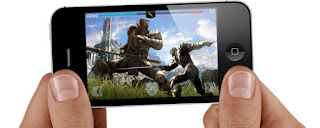
4S is great for gamers. The A5 chip pushes graphics up to seven times
faster. So games run smoother and they’re even more realistic. And
graphics-intensive apps perform even better.
The you-can’t-believe-it’s-on-a-phone camera.
With
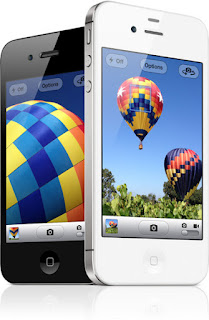
8 megapixels and all-new optics, this just might be the best camera
ever on a mobile phone. It just might be the only camera you’ll ever
need. And if you think that’s amazing, wait until you see your photos.
Mega megapixels.
The
iSight camera gives you 8 megapixels — that’s 60 percent more pixels
than the camera on iPhone 4. They’re engineered with a higher, full-well
capacity to collect even more light. With more megapixels and more
light, you’ll see a dramatic difference in the resolution and details of
your images. So your photos look stunning everywhere you show them off —
on your iPhone, your computer, or your HDTV. And they’re rendered pixel
for pixel in prints as large as 8x10. All-new optics make all
the difference.
Great photography isn’t just about
megapixels — it’s about light, too. The all-new, advanced optics in this
camera work together to make sure whatever light you have gives you the
best image possible. The custom lens uses five precision elements to
shape incoming light, which makes the entire image sharper. The larger
f/2.4 aperture lets in more light, so photos look brighter and better.
And the advanced hybrid infrared filter keeps out harmful IR light, so
you’ll see more accurate and uniform colors.
Turn down the lights.
Or turn them way up.
Pull out your iPhone in
moonlight, candlelight, or under little white lights. Or shoot in bright
light. Like at the beach. The iSight camera captures low-light and
lots-of-light moods beautifully. So darks aren’t too dark and lights
aren’t too light. Even action shots are less blurry. The next-generation
backside illumination sensor is engineered with increased sensitivity
and a shorter exposure time to achieve the same scene brightness —
colors are less saturated and you’ll see more details. And the LED flash
automatically kicks in when it’s needed (but you can always turn it
off). A5 chip and iOS 5.
The power behind your photos.
The A5 chip is designed with an image signal processor
that’s just as good as the ones found in DSLR cameras. It’s how you can
tap to focus and control exposure. And it’s the power behind zero
shutter lag. The image signal processor makes the iSight camera faster,
so you’ll catch all the action as it happens. The camera also uses
advanced algorithms in iOS 5 for even more color accuracy, better white
balance, and greater dynamic range. When you see your photos, you’ll see
exactly what that means. This camera loves a face.
With
new face detection, the iSight camera is smart enough to know whether
you’re taking a portrait or a group shot. It focuses on the most
prominent face in the frame and balances exposure across up to 10 faces.
So you’ll definitely catch smiles. And maybe even a smirk or two. Capture the moment in
a split second.
Think about all those fun, fleeting
moments you wish you’d caught on film. Now you can open the Camera app
right from the Lock screen. So when things happen fast, you’ll capture
them fast. Compose a quick shot with grid lines and pinch-to-zoom
gestures. Focus with a tap. Then press the volume-up button to take a
photo. And suddenly, everything is a photo op. Edit photos right on iPhone.
It’s not just an amazing camera. It’s an on-the-fly
editing studio. Crop, rotate, enhance, and remove red-eye right on
iPhone — without the help of photo editing software on a computer. Then
organize your shots into albums, so you know where your favorites are
when you want to show them off. HDR. The best everything.
All in one shot.
Tap HDR and take a photo. The
iSight camera captures three photos from that one shot, each with a
different exposure level. Then it layers the shots together to create a
single photo that combines the best parts of each shot. The wide range
of light is more accurate in an HDR photo. And iPhone saves both the
original and the HDR photo in your Camera Roll. You can clearly see the
difference. Photo Stream. And other
ways to share. With Photo Stream in iCloud, new photos you take are
automatically sent to all your devices, so you can show them off on your
iPhone, iPad, iPod touch, Mac, or PC.1 Post them to the web the second
you take them, and they’ll be the envy of your Flickr, Facebook, and
Twitter world. Share them on your HDTV with AirPlay.2 Or send your
photos through iMessage or MMS. Or go old-school and send them in an
email.





 Siri
 Performance
 iSight Camera
 1080p HD Video
 iOS
 iCloud
 Retina Display
 FaceTime